




















HVAC contractors have a different problem than most service businesses. On the same day you might have a chiller down at a hospital, three rooftop PM visits, and a refrigerant leak check you are legally required to log. We compared 10 HVAC field service platforms to find which ones handle that mix, and which ones only look good in a demo.
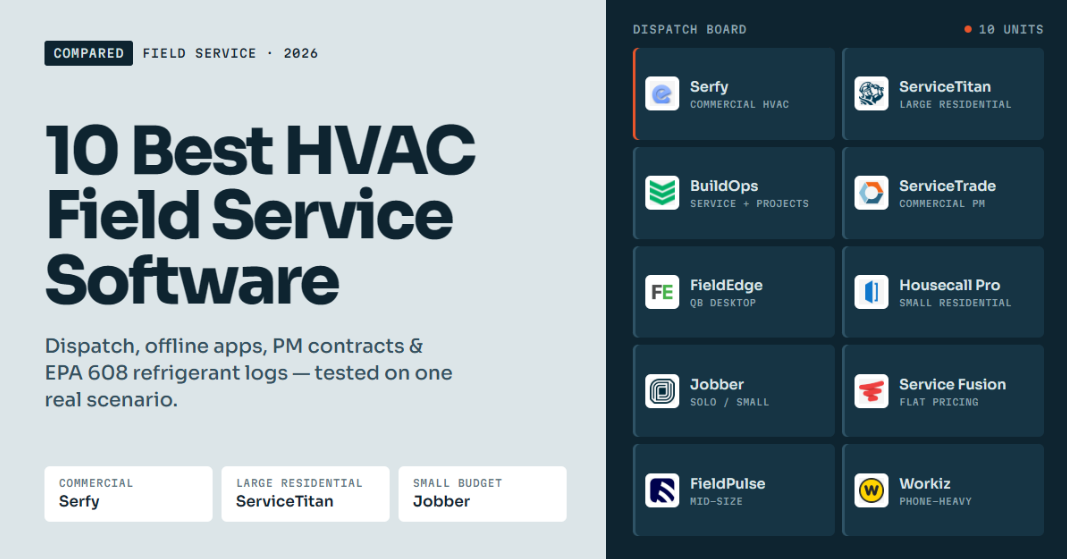
| Software | Best for | Starting price | Key consideration |
| Serfy | Commercial HVAC & multi-site maintenance | €25/user/month | • Built for commercial work with subcontractors • Lighter on residential marketing tools |
| ServiceTitan | Large residential HVAC (20+ techs) | Custom quote | Most complete residential suite, but the priciest to own |
| BuildOps | Commercial contractors mixing service + projects | Custom quote | • Strong project module • Overkill for service-only shops |
| ServiceTrade | Commercial mechanical PM contracts | Custom quote (office users free) | Commercial-only focus |
| FieldEdge | Residential shops on QuickBooks Desktop | Custom quote | • Best QuickBooks Desktop sync • Dated desktop UI |
| Housecall Pro | Residential HVAC, 1–8 techs | $59/month | Easy to useNot built for commercial contracts |
| Jobber | Solo operators & small crews | $29/month | • Affordable and simple • Thin on HVAC-specific depth |
| Service Fusion | Growing teams that hate per-user fees | $208/month (unlimited users) | • Flat price • No free trial |
| FieldPulse | Mid-size HVAC teams needing offline mode | Custom quote | • Solid feature set • Add-ons raise the price |
| Workiz | Phone-heavy residential shops | Custom quote | Built-in phone & AI answering, sold as add-ons |
Our Top Picks
- Serfy: Best HVAC field service software overall, especially for commercial HVAC.
- ServiceTitan: Best for large residential HVAC companies.
- Jobber: Best for small HVAC businesses on a budget.
How We Evaluated HVAC Field Service Software
We built one scenario and ran every platform against it: a 12-technician HVAC contractor that services commercial buildings on preventive maintenance contracts, answers emergency no-cooling calls, handles some residential work, and occasionally sends duct or refrigeration jobs to subcontractors.
For every tool we reviewed vendor documentation and feature pages, current pricing, and recent user reviews on G2 and Capterra.
Must-haves
- A dispatch board that handles emergencies and PM together: When a rooftop unit fails at 11am, a dispatcher should be able to pull a technician off routine work without breaking a contract SLA.
- A mobile app that works offline: HVAC techs spend their day in plant rooms, basements, and on rooftops. An app that freezes without signal gets abandoned.
- Preventive maintenance automation: Recurring visits should generate themselves from the contract. Nobody should have to remember them.
- Equipment history per unit: A tech standing in front of an air handler should see every past repair, refrigerant charge, and filter size for that exact unit.
Dealbreakers
- No way to document refrigerant work: In the US, EPA Section 608 requires leak rate records for larger systems. If the software can’t capture them, you’re back to clipboards.
- Unclear total cost: Custom pricing is fine on its own. Hidden pricing combined with a long contract and a five-figure implementation fee is a risk we flagged.
Nice-to-haves
- A client portal where facility managers can submit requests and track jobs
- Subcontractor management that doesn’t expose your pricing
- Quote → work order → invoice without re-typing anything
- Accounting sync (QuickBooks, Xero, NetSuite, Sage)
- Van stock and job costing
The 10 Best HVAC Field Service Software
1. Serfy: Best HVAC field service software overall
Available on: Web, iOS, Android
Serfy is a field service platform built for commercial technical service teams: HVAC and mechanical contractors, facility maintenance providers, refrigeration, electrical, and fire protection. It was founded in 2016 in Vilnius, Lithuania. According to the company, it has processed more than 2.7 million work orders and supports over 3,000 field technicians and 600+ service providers.
Why we chose Serfy: It was the only platform in our comparison that treats the three parties in commercial HVAC work (your company, your client, and your subcontractors) as participants in the same work order, each seeing only what they should. Add an offline-first mobile app, native refrigerant compliance workflows, and published per-user pricing, and it fit our scenario better than anything else we reviewed.
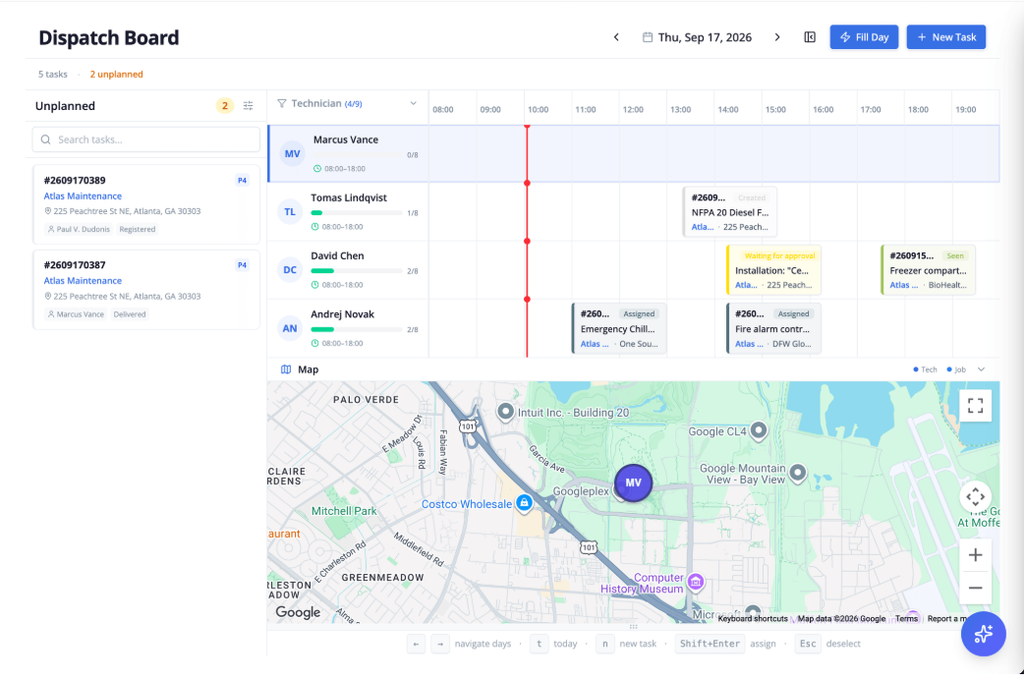
One board for emergencies and routine work
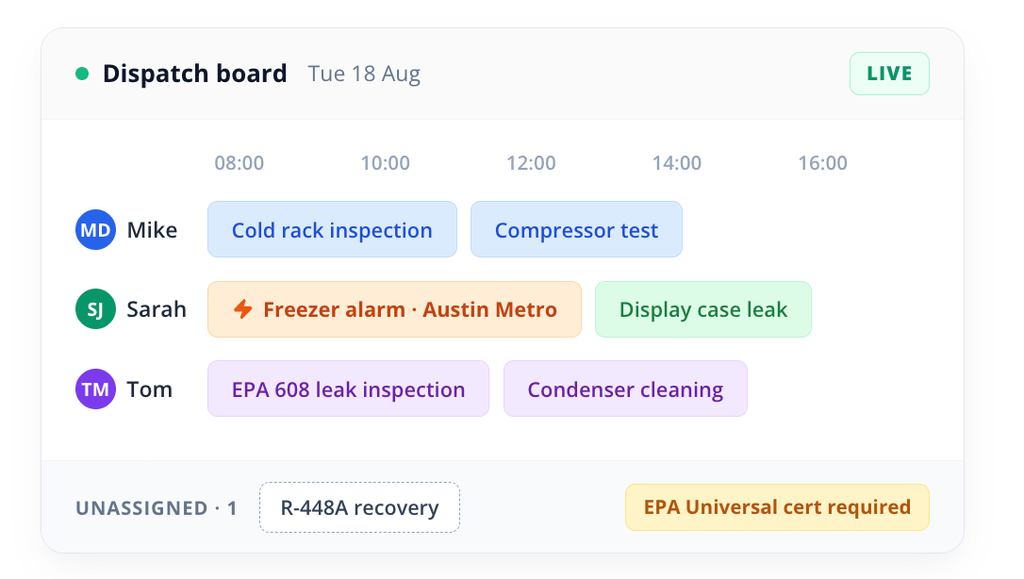
Serfy’s dispatch board puts every job on one timeline. Its assignment engine matches jobs to technicians by skill, certification, and location, and the unassigned queue shows which certification a job needs before it goes out. For an R-410A recharge, for example, that means only EPA 608-certified technicians get suggested. When a chiller fails mid-morning, you reassign by dragging the job, and the technician’s app updates without a phone call.
EPA Section 608 refrigerant logs and leak rate tracking
This feature stood out most for commercial HVAC. Technicians record refrigerant type, cylinder tare, and added or recovered weights on mobile, and Serfy calculates leak rates automatically when refrigerant is added to systems holding 50+ pounds. If the rate exceeds EPA thresholds, it creates the required initial and follow-up leak verification tasks. Most residential-focused tools on this list leave this to paper or a custom form you build yourself.
QR equipment passports
Techs can scan a QR code on an air handler or chiller to see past compressor repairs, refrigerant charges, filter sizes, and warranty documents on site. Seasonal technician turnover is common in HVAC, so keeping this history on the unit instead of in one person’s memory is useful.
Subcontractors without margin leaks
If you send ductwork or specialty refrigeration to partners, Serfy lets subcontractors log labor and parts on a delegated job without seeing your client billing rates. You still get photo proof and SLA tracking on their work.
Quote-to-cash without re-typing
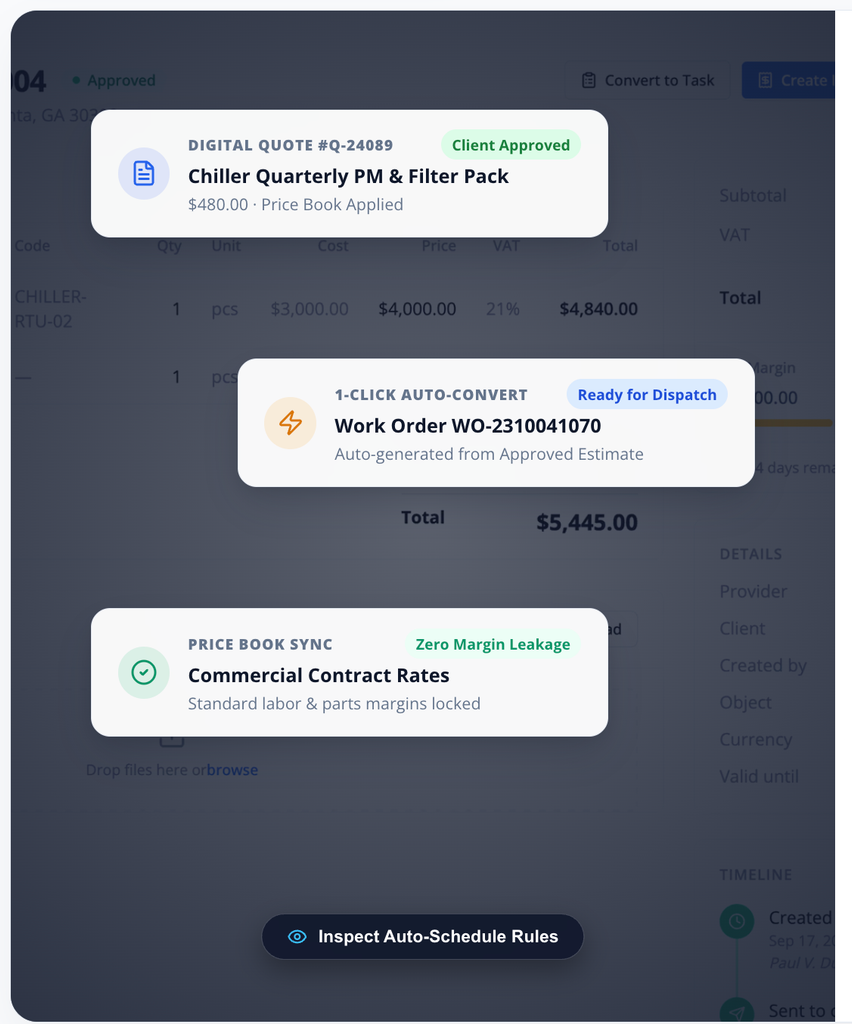
Price books lock in labor rates and parts margins, and quotes are e-signed and converted to work orders in one click. Completed work orders become invoices automatically, with Stripe card payments and two-way sync to QuickBooks, Xero, NetSuite, and Sage Intacct. Parts used from van stock are deducted on mobile and added to the customer’s billable work order automatically, which closes one of the most common margin leaks in HVAC.
Offline-first mobile app
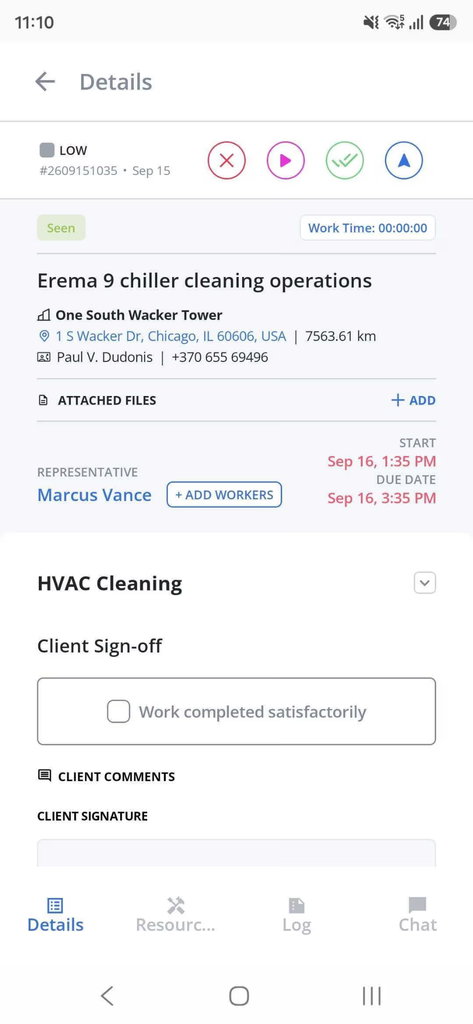
Serfy’s native iOS and Android apps run fully offline, not just as a read-only cache: techs can complete checklists, capture signatures, and sync later. For rooftop and basement work, this mattered more in our evaluation than any other single feature.
What users say about Serfy
It holds a 5.0 rating on Capterra, with all reviewers consistently mentioning simplicity and fast adoption by large field teams, including less tech-savvy staff.
When Serfy may not be the best fit
- If you’re a residential-only shop that needs built-in call booking, marketing campaigns, and consumer financing
- If you want a large North American reviewer base before buying
Key features:
- Skill, certification, and GPS-based dispatch
- EPA 608 refrigerant logs with automated leak rate calculations
- QR asset passports and preventive maintenance schedules
- Subcontractor portal with rate masking
- Client portal for facility managers
- Van stock, job costing, automated invoicing
Pros:
- Built for commercial, multi-party HVAC work
- True offline mobile app
- Transparent pricing with no setup fees
Cons:
- Few residential marketing tools
Pricing:
- The Professional plan is €25/user/month for up to 25 users
- Enterprise (unlimited users, API and webhooks, dedicated account manager) is custom-priced. Serfy advertises no setup fees and monthly billing you can cancel anytime. Free trial available.
2. ServiceTitan: Best for large residential HVAC companies
Available on: Web, iOS, Android
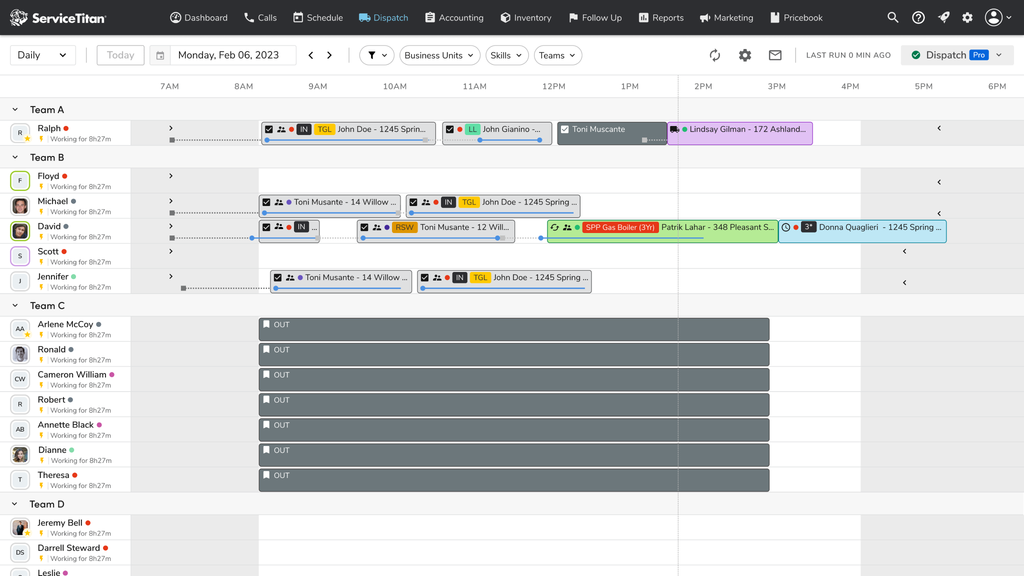
ServiceTitan is the best-known platform in residential HVAC. It’s a full operating system for high-volume home service companies: call booking, pricebooks, sales presentations for good-better-best options, marketing, memberships, and deep reporting.
Why we chose ServiceTitan: For a residential HVAC company with a call center, a sales-driven replacement business, and 20+ trucks, nothing else on this list matches its depth.
Where it falls short: Cost and complexity. ServiceTitan doesn’t publish pricing, has no free trial, and has told the BBB its platform isn’t optimized for companies with three or fewer technicians. User-reported rates run roughly $245–$500 per technician per month depending on tier, plus a one-time implementation fee of about $5,000–$50,000+ and a 12-month minimum contract. It’s also primarily residential. Commercial PM contracts and subcontractor workflows are not where it’s strongest.
Pros:
- Deepest residential feature set
- Strong sales and marketing tools
- Mature reporting
Cons:
- High total cost
- Long implementation
- Annual contracts
Pricing: Custom quote.
3. BuildOps: Best for commercial contractors mixing service and projects
Available on: Web, iOS, Android
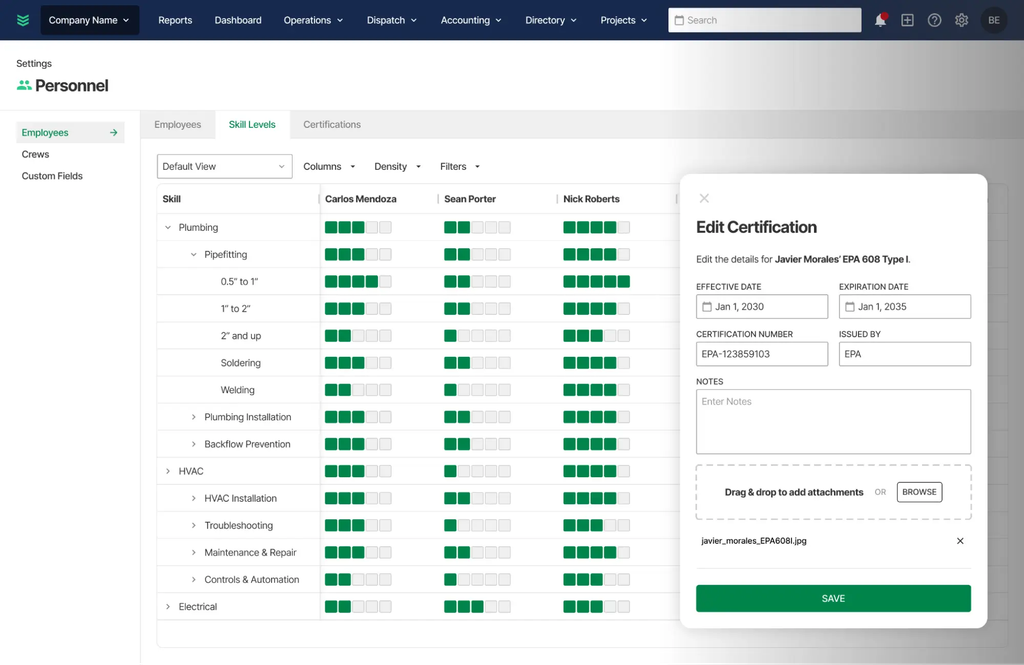
BuildOps targets commercial MEP contractors who fix a rooftop unit on Monday and bid a mechanical retrofit on Tuesday. Its planning board factors in technician skills, certifications, location, and availability, and equipment installed on projects becomes asset records that feed service agreements and billing.
Why we chose BuildOps: If project work is a meaningful part of your revenue, its project module is native, not bolted on.
Where it falls short: It’s quote-only with no free trial or free version, and some G2 reviewers flag reporting as a serious weak spot. It’s a poor fit for residential or service-only shops.
Pros:
- Service + projects in one system
- Commercial-first design
- Asset-driven service agreements
Cons:
- No public pricing
- Reporting complaints
- Heavier rollout
Pricing: Custom quote.
4. ServiceTrade: Best for commercial mechanical PM contracts
Available on: Web, iOS, Android
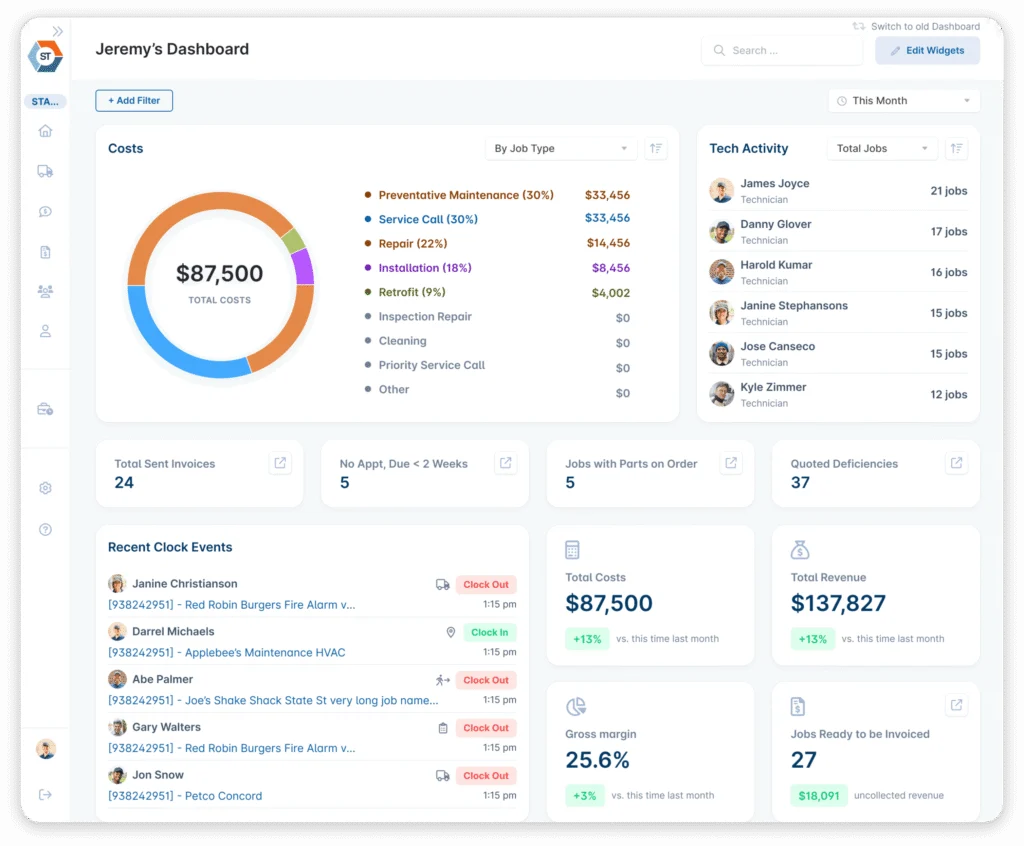
ServiceTrade is built for commercial HVAC, mechanical, and fire contractors, and says more than 1,300 contractors use it. Its strength is connecting maintenance agreements to the work that gets scheduled, completed, quoted, and invoiced. Deficiencies found on a PM visit become quotes for pull-through repair revenue.
Why we chose ServiceTrade: Its pricing model suits commercial shops with large office teams. Office users are free, and subscriptions are priced around field technicians.
Where it falls short: It’s commercial-only. There are no public prices, and small residential shops will find it more than they need.
Pros:
- Strong PM-to-repair revenue workflow
- Free office seats
- Customer portal
Cons:
- Quote-based pricing
- Not for residential
Pricing: Custom quote.
5. FieldEdge: Best for residential shops on QuickBooks Desktop
Available on: Web, iOS, Android
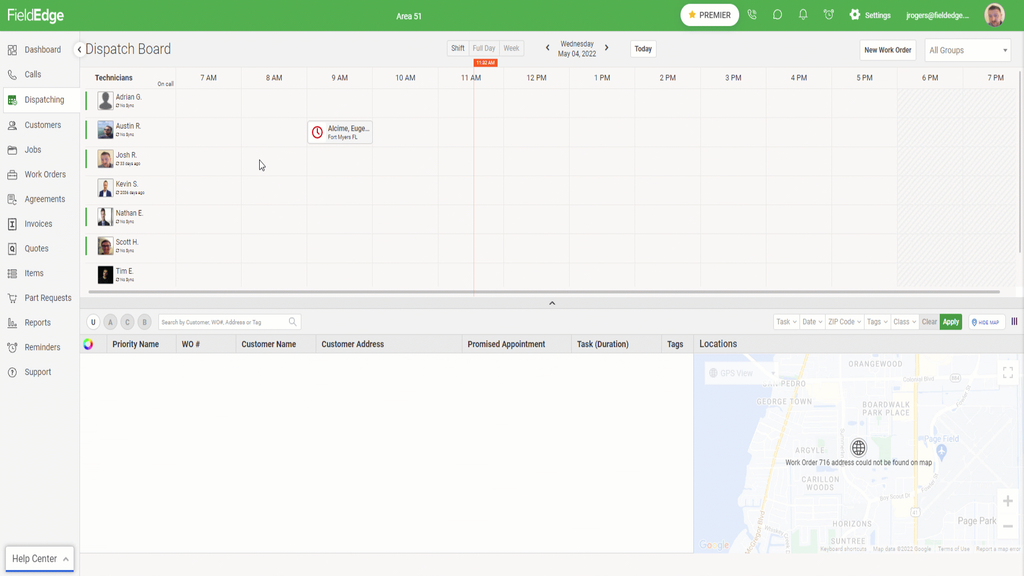
FieldEdge is one of the oldest names in HVAC software. Its main strength is accounting. Its QuickBooks Desktop integration is a live two-way sync, where many competitors either support only QuickBooks Online or sync Desktop mostly one way. It also offers flat-rate pricebooks through Coolfront and service agreement automation.
Why we chose FieldEdge: If your books live in QuickBooks Desktop and you won’t move, it’s the safest choice on this list.
Where it falls short: Pricing is quote-only. User reports put it around $100 per office user and $125 per technician per month, plus setup fees. Capterra reviewers describe the desktop interface as dated and the product as built mainly for residential trades.
Pros:
- Best-in-class QuickBooks Desktop sync
- HVAC-native pricebook
- Service agreements
Cons:
- No public pricing or free trial
- Dated interface
- Residential focus
Pricing: Custom quote.
6. Housecall Pro: Best for residential HVAC teams up to ~8 techs
Available on: Web, iOS, Android
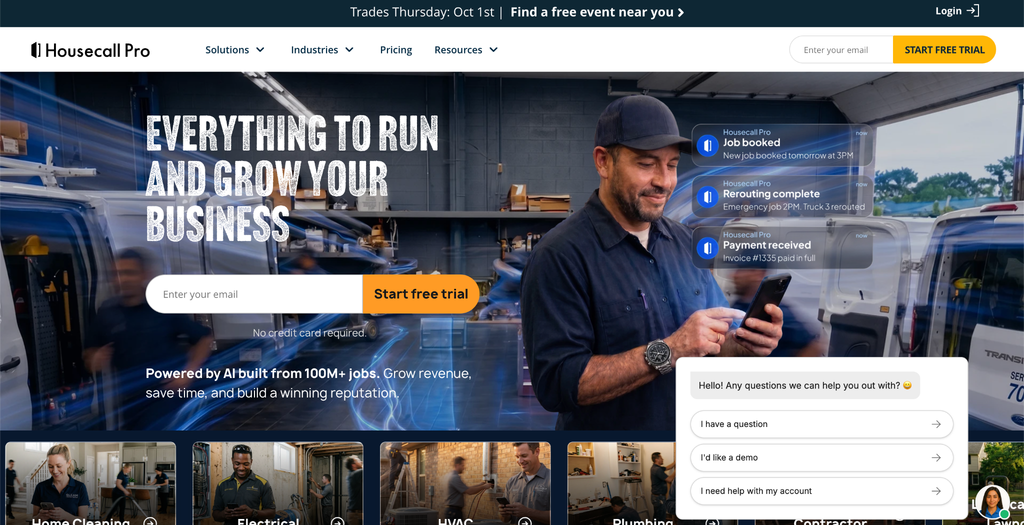
Housecall Pro is polished and easy for homeowners and techs alike, with online booking, automated reminders, reviews, and service plans.
Why we chose Housecall Pro: For a residential HVAC shop moving off paper, it’s one of the fastest platforms to get running.
Where it falls short: Commercial HVAC. Multi-site contracts, refrigerant logs, and subcontractor workflows aren’t its focus. Also check which plan you need. The Basic plan is limited to one user and excludes QuickBooks sync and GPS tracking, which pushes most teams to a higher tier.
Pros:
- Very easy to use
- Strong customer communication
- 14-day trial
Cons:
- Residential focus
- Key features gated to higher tiers
- Per-user costs add up
Pricing: Basic is $59/month billed annually ($79 monthly), Essentials $149/month annually, and MAX $299/month annually, with extra MAX users at $35/month each.
7. Jobber: Best for small HVAC businesses on a budget
Available on: Web, iOS, Android
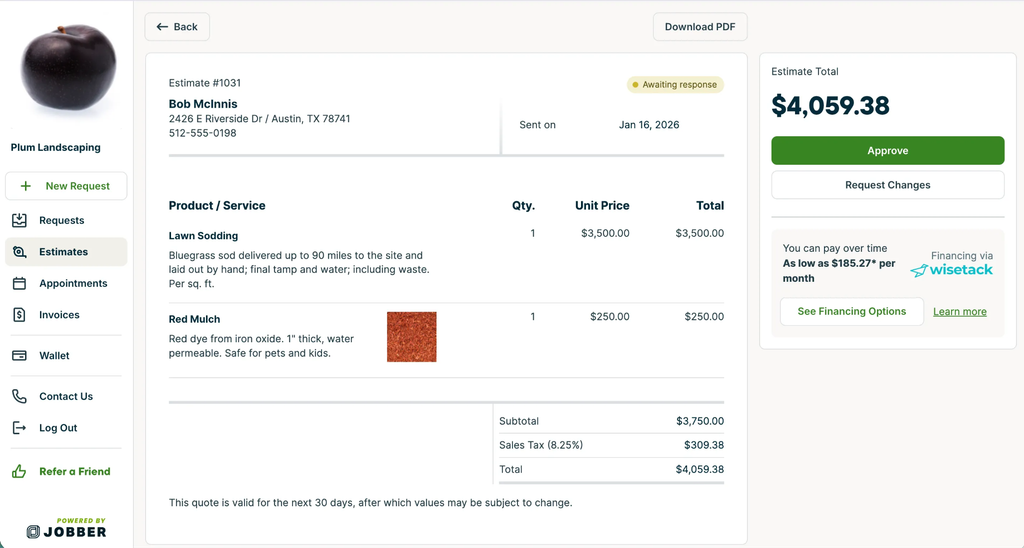
Jobber is a clean, general-purpose home service platform for quoting, scheduling, invoicing, and payments. Its Client Hub lets customers approve quotes and pay online.
Why we chose Jobber: It’s the cheapest real platform on our list, and a solo HVAC tech can get running quickly.
Where it falls short: It isn’t HVAC-specific, so there’s no native refrigerant tracking or deep equipment history. Team plans also got more expensive this year. A comparison of archived pricing pages found five-user Connect rose from $129 to $149/month and ten-user Grow from $249 to $299 between February and September 2026.
Pros:
- Affordable entry price
- Simple setup
- Good client experience
Cons:
- Generic, not HVAC-specific
- Limited reporting
- Tier jumps when you hire
Pricing: Plans start at $29/month (Core, one user, billed annually). 14-day free trial.
8. Service Fusion: Best for growing teams that want flat pricing
Available on: Web, iOS, Android
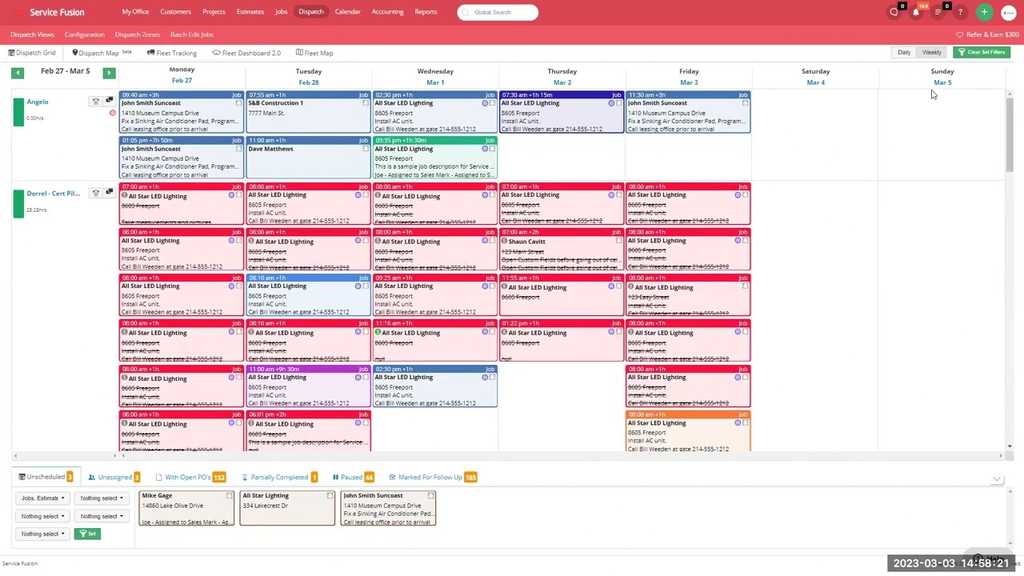
Service Fusion’s main selling point is its pricing model. Every plan includes unlimited users, so a 10-tech shop pays the same monthly price as a two-tech shop.
Why we chose Service Fusion: For HVAC teams growing past 10–15 people, flat pricing often beats per-user tools on cost.
Where it falls short: There’s no free plan or free trial. You commit to a paid plan after a sales demo. Job photos, inventory, and job costing require the Plus plan or above. Some reviewers also report slow performance and weak support.
Pros:
- Unlimited users
- QuickBooks Online and Desktop
- Clean dispatch board
Cons:
- No trial
- Important features gated
- Mixed support reviews
Pricing: Starter is $208/month annually ($245 monthly), Plus $325/month annually, and Pro $533/month annually.
9. FieldPulse: Best for mid-size HVAC teams needing offline mode
Available on: Web, iOS, Android
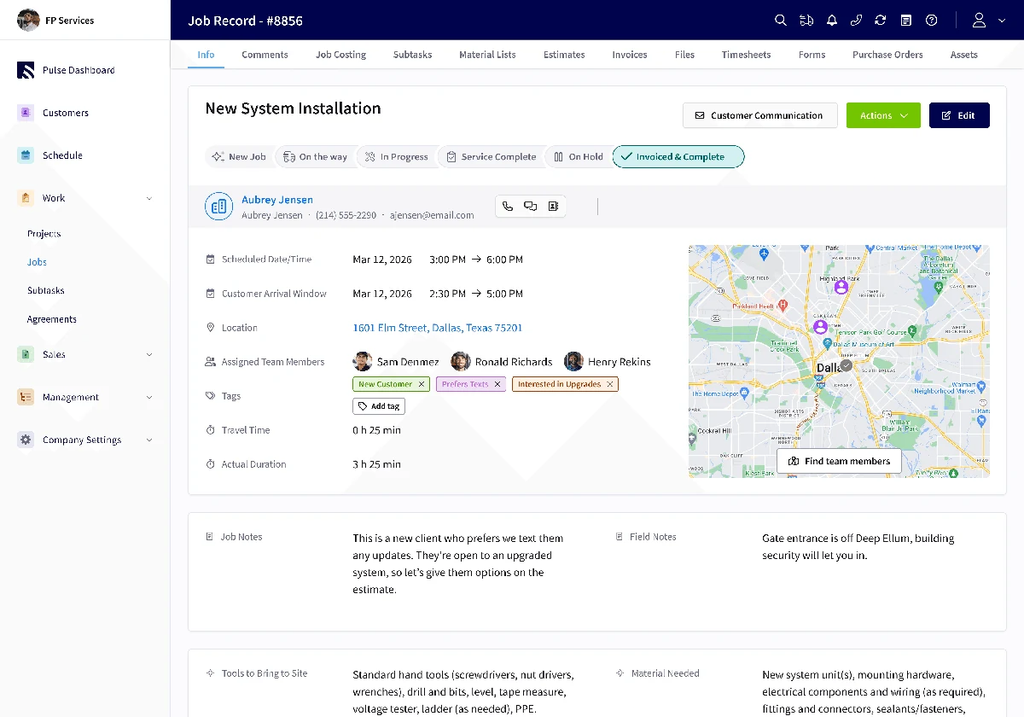
FieldPulse is a mid-market alternative to Jobber and Housecall Pro with more operational depth. Its app switches to offline mode automatically when out of range, and it supports up to 200 custom forms each for jobs, projects, and customers, which is useful for per-equipment service records.
Why we chose FieldPulse: It’s a good fit for 3–25 tech HVAC shops doing mixed residential and light commercial work.
Where it falls short: FieldPulse doesn’t publish prices, and add-ons such as its VoIP system, AI dispatching, and fleet tracking (commonly reported around $30 per vehicle per month) cost extra.
Pros:
- Real offline mode
- Flexible custom forms
- Structured job stages
Cons:
- Quote-based pricing
- Add-on costs stack up
Pricing: Custom quote – reported at roughly $99–$399+/month before add-ons.
10. Workiz: Best for phone-heavy residential shops
Available on: Web, iOS, Android
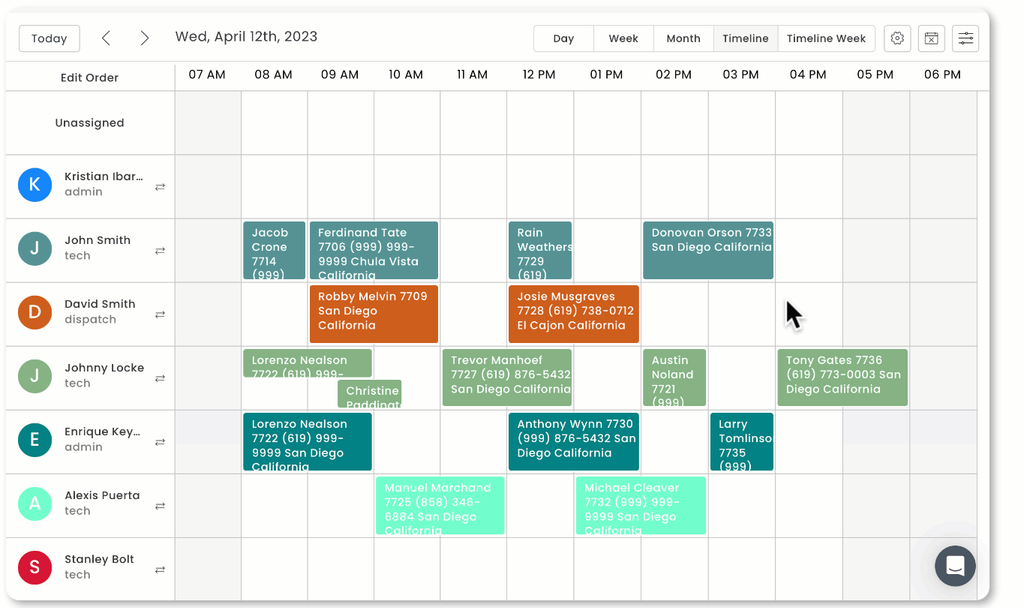
Workiz combines scheduling and invoicing with a built-in phone system and AI answering, which suits HVAC shops where most leads come in by phone.
Why we chose Workiz: Calls, jobs, and customer records live in one place, with little lost between the phone and the schedule.
Where it falls short: The phone system and “Genius” AI answering are paid add-ons on top of the base plan. As of mid-2026, Workiz’s pricing page lists Standard, Pro, and Ultimate behind “Request pricing” buttons, with a 7-day free trial.
Pros:
- Integrated phone and AI answering
- Easy to learn
Cons:
- Key features are add-ons
- Pricing now on request
Pricing: Custom quote – Third-party sources report roughly $200–$350/month for paid plans.
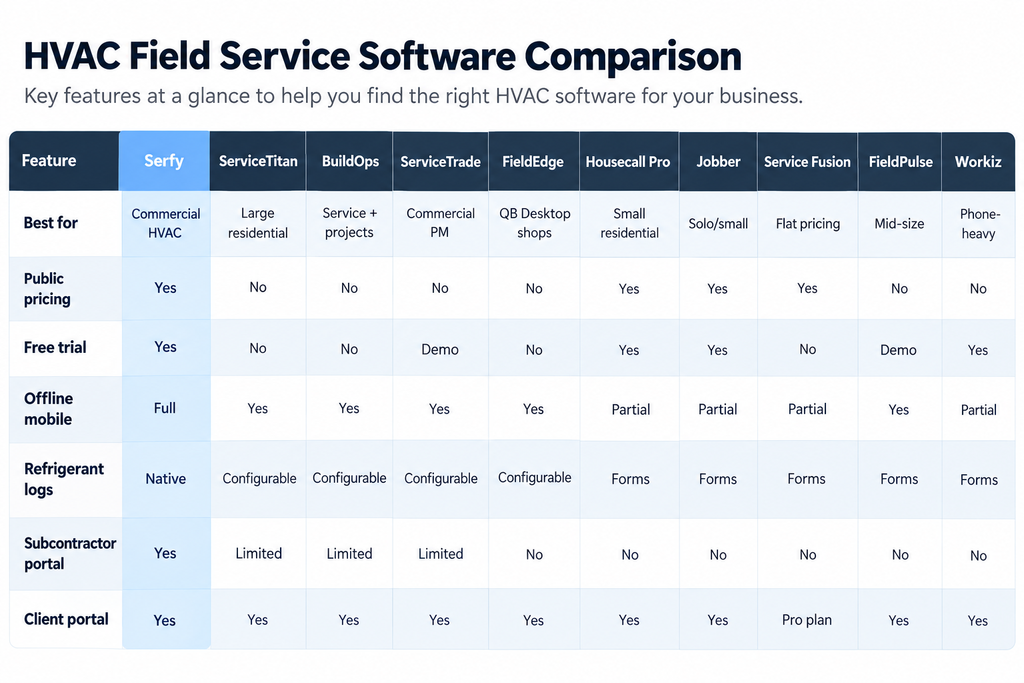
Compare the Best HVAC Field Service Software
FAQs
What is HVAC field service software?
It’s software that runs the operational side of an HVAC business: taking requests, scheduling and dispatching technicians, giving techs job and equipment details on mobile, capturing checklists and signatures, and turning completed work into invoices.
What’s the difference between residential and commercial HVAC software?
Residential platforms focus on call booking, homeowner communication, sales presentations, and memberships. Commercial platforms focus on multi-site contracts, SLAs, asset histories, compliance records, client portals, and subcontractors. ServiceTitan, Housecall Pro, and Jobber lean residential. Serfy, BuildOps, and ServiceTrade lean commercial.
Do I need software that tracks EPA Section 608 refrigerant records?
If you service systems holding 50+ pounds of refrigerant, you’re required to keep leak rate and repair records. Software that calculates leak rates and creates follow-up verification tasks automatically removes a common audit risk.
Why does offline mode matter so much in HVAC?
Mechanical rooms, basements, and rooftops often have poor signal. If the app can’t save checklists, photos, and signatures offline, techs go back to paper and data gets re-typed later.
Per-user or flat pricing: which is cheaper?
It depends on team size. Per-user tools (Serfy, Housecall Pro MAX, FieldEdge) are cheaper for small and mid-size teams. Flat-rate tools like Service Fusion get cheaper per head as you add people. Always add implementation fees and add-ons to the comparison.
How long does implementation take?
Lighter tools can be running in days. Enterprise platforms like ServiceTitan commonly take months and carry significant one-time fees.
The Bottom Line
The best HVAC software depends on the kind of HVAC work you do. ServiceTitan leads large residential operations, and Jobber and Housecall Pro serve small residential shops well.
Serfy fits best if your work involves commercial buildings, maintenance contracts, compliance records, and partners. It combines dispatch, refrigerant compliance, equipment history, client and subcontractor portals, and automated invoicing in one platform, at a published price with no setup fees.