




















Setting up a home office isn’t just about picking a desk or chair. If you spend hours working on a computer, your posture and comfort are just as important as style or storage. A back-friendly office can prevent fatigue, reduce pain, and keep you focused throughout the day. By planning your layout, choosing the right furniture, and adding a few simple upgrades, you can create a home office that works for both your body and your productivity.
Plan Your Layout for Comfort and Efficiency
How you set up your office has a greater impact on your back than most people realize. Begin by adjusting your workstation so that you can easily access commonly used objects without twisting or stretching. Make sure your legs have enough space under the desk and your chair can move freely.
Consider creating zones for different tasks. One area can be dedicated to computer work, another for paperwork or creative projects, and a small corner for stretching or standing. A rolling cart for supplies or a small filing unit can save you from bending repeatedly. Even a little extra room to move around reduces strain on your back and shoulders.
If your room is small, consider vertically. Books, files, and office supplies can be stored on wall-mounted shelves for quick access. You can avoid stacking items on the floor or bending repeatedly to get what you need. Planning your layout properly is the first step toward creating a back-friendly and highly functional home office.
Use Lighting to Protect Your Eyes and Posture
Lighting affects more than just the look of your office. Poor lighting can make you lean forward or hunch over your desk without noticing. Whenever possible, place your desk near a window to take advantage of natural light, but be mindful of screen glare.
For artificial lighting, use bright, adjustable LED lamps for reading and computer work. Combining overhead lights with task lighting helps reduce shadows and eye strain. A lamp with adjustable brightness can help you match the light to the time of day. Well-planned lighting not only protects your eyes but also encourages upright posture, keeping your spine aligned and reducing fatigue.
Invest in Ergonomic Upgrades
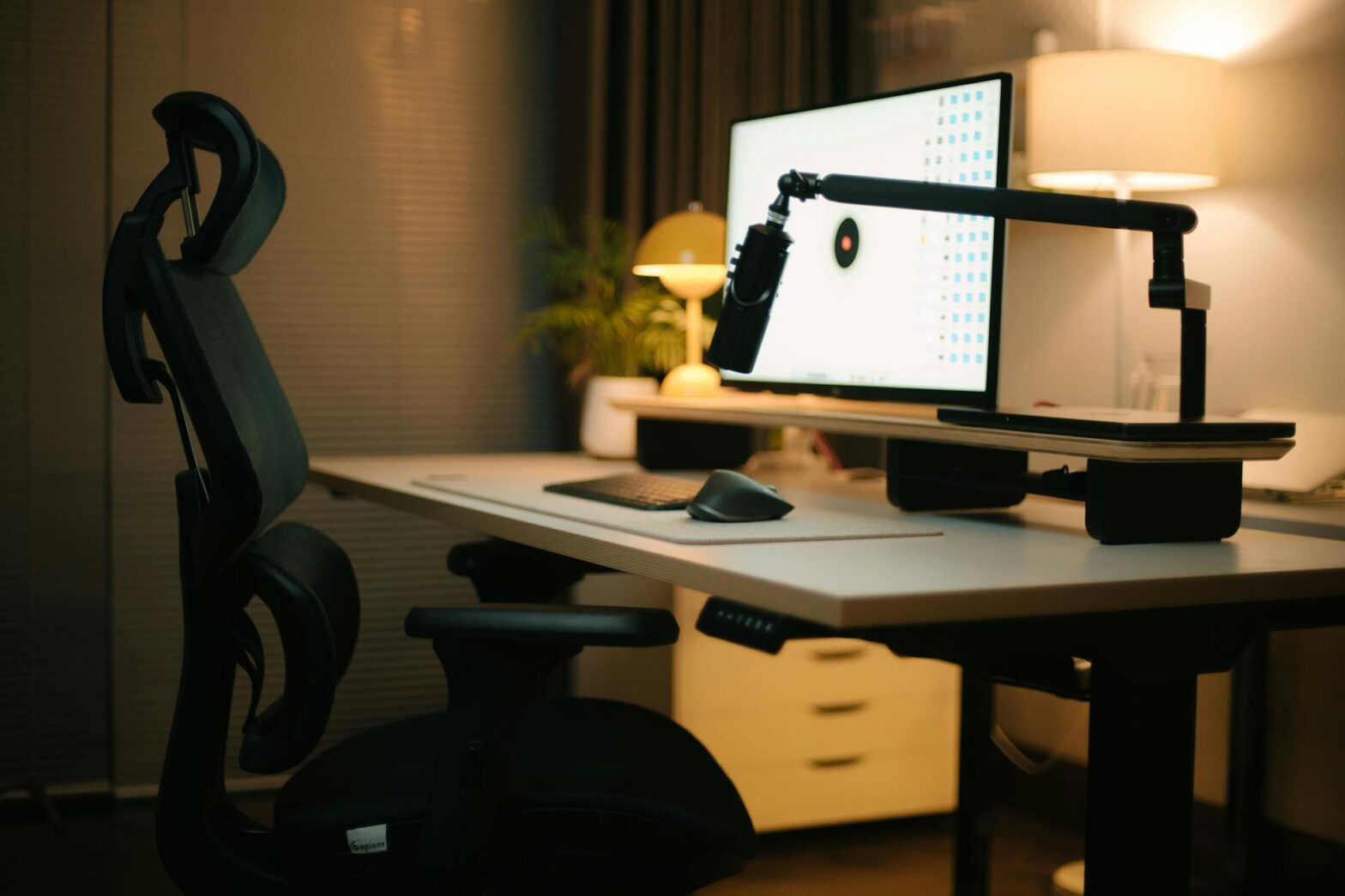
A home office that protects your back starts with furniture designed for comfort. One of the most important investments is an ergonomic home office chair. Look for a chair with adjustable height, lumbar support, and armrests that allow your shoulders to relax. A chair that fits your body can prevent tension in your lower back and neck over time.
Your desk setup also matters. Keep your monitor at eye level to avoid craning your neck and position your keyboard and mouse so your elbows remain close to your body with forearms parallel to the floor. Small adjustments, like using a footrest or seat cushion, make a big difference in how your back feels after a long day.
Choose Furniture That Supports Long-Term Health
Every piece of furniture in your office should support your comfort. Desks with smooth, rounded edges prevent pressure on wrists and forearms, while shelving and storage should be within easy reach so you do not have to bend or twist frequently.
When selecting furniture, focus on quality over trendiness. Solid wood desks, sturdy shelves, and adjustable seating last longer and maintain good ergonomics better than inexpensive alternatives. If you enjoy DIY projects, consider customizing your desk height or adding built-in shelves to match your workflow. Keeping your office organized reduces awkward movements and creates a more efficient, back-friendly environment.
Include Movement and Flexibility
Even the best chair and desk cannot replace regular movement. Sitting for hours can strain your back, neck, and hips. If possible, add a standing desk or a high table to alternate between sitting and standing throughout the day. Even a few minutes of standing every hour helps reduce stiffness.
Place frequently used items, such as your printer or filing cabinet, where you naturally get up several times a day. Adding a small corner for stretching or simple exercises makes it easier to take breaks without leaving your workspace. You can also include short routines, like shoulder rolls, neck stretches, or a quick walk around the room. Over time, these small actions protect your back and improve circulation.
Conclusion
A back-friendly home office combines a smart layout, proper lighting, supportive furniture, and space for movement. By adjusting your desk and monitor, keeping your workspace organized, and taking regular stretch breaks, you can protect your back, stay comfortable, and work more efficiently every day.
Whether you are remodeling a small corner or designing a full office, these strategies make it easier for you to create a space that supports your health and keeps you productive. Start implementing these tips now, and you will enjoy a home office that feels comfortable, functional, and back-friendly for years to come.